

It is 11 AM. Your flight leaves at 3 PM. You have plenty of time, but something at the back of your mind wants to know: is it actually running on time? Or maybe it is not even your flight. Your cousin is flying in from Riyadh tonight and you want to know exactly when to head to the airport to pick them up.
Either way, a flight tracker gives you that answer in under a minute.
If you have never used one before, or if you have opened one and felt a little unsure where to start, this guide walks you through the whole process, step by step. Whether you booked your flight through ShareTrip or through any other platform, by the end of this, checking on any flight will feel as natural as checking the weather.
Now let us go through it properly.
What Is a Flight Tracker?
A flight tracker is a tool that shows you real-time or near-real-time information about any commercial flight in the world. You can use it to see whether a flight is on time, delayed, in the air, or already landed. It also shows you the aircraft's live position on a map, current altitude, speed, gate information, and estimated arrival time.
You do not have to be a traveller to use one. According to AirHelp, 46% of all flight tracker searches are made by people monitoring a flight on behalf of someone else, whether that is a friend, family member, or colleague they are going to collect from the airport.
Flight trackers are available as websites you visit in your browser, as mobile apps you download on your phone, and sometimes as built-in features within booking platforms and Google Search itself. Whether you are monitoring a first-time solo traveller's journey or keeping track of a family member flying home, the tool works exactly the same way.
How Does a Flight Tracker Actually Work?

When you see an aircraft moving smoothly across a digital map, it looks almost magical. In reality, it is a fairly sophisticated chain of data systems working together in real time.
The foundation is a technology called ADS-B, which stands for Automatic Dependent Surveillance-Broadcast. Most modern commercial aircraft are equipped with ADS-B transponders that automatically transmit the plane's position, altitude, speed, and identification code every single second. Ground-based receiver stations pick up these broadcasts and feed them into the tracking platform.
For older aircraft that do not carry full ADS-B equipment, flight trackers use a method called MLAT (Multilateration), which calculates the aircraft's position by measuring the tiny time differences between its signal arriving at multiple ground receivers simultaneously.
On top of the positional data, flight tracking platforms also pull in schedule information, gate assignments, and delay updates directly from airline and airport databases. For flights over oceans or remote areas where ground stations cannot reach, satellite-based tracking fills in the gaps.
All of this data flows into a single pipeline that refreshes every few seconds, giving you a live, accurate picture of where any commercial flight is at any given moment. The practical result for travellers is that you can plan around real information rather than scheduled estimates. Knowing a flight is running two hours late means you can delay your airport pickup, adjust a hotel check-in, or rearrange onward transport without any last-minute scrambling.
What Information Does a Flight Tracker Show You?
Before walking through the steps, it is helpful to know what you are actually looking at once your flight loads on screen.
A standard flight tracker shows:
- Scheduled departure and arrival times
- Estimated (live) departure and arrival times
- Current flight status: On Time, Delayed, Departed, Airborne, Landed, or Cancelled
- Real-time aircraft position on an interactive map
- Current altitude (typically in feet)
- Current ground speed
- Aircraft type (such as Boeing 787 or Airbus A330)
- Aircraft registration number
- Departure and arrival airports
- Terminal and gate information (where available)
- Inbound aircraft tracking, showing where the plane doing the previous leg of your flight currently is
More advanced or premium trackers also offer:
- Weather overlays along the flight path
- Historical on-time performance data for the specific flight number
- AI-powered delay predictions, sometimes up to six hours before departure
- Alerts for compensation eligibility when your flight is significantly disrupted
That last point matters more than most travellers realise. You do not have to know you have been disrupted before the airline tells you. A good tracker tells you first.
How to Use a Flight Tracker: Step by Step
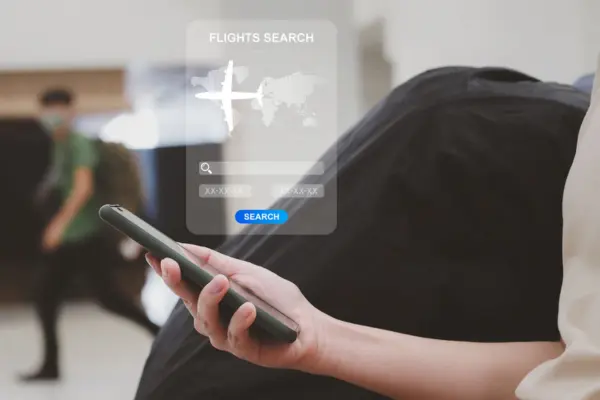
Whether you are tracking your own upcoming flight or checking in on someone else's journey, the process is essentially the same. It takes less than a minute.
Step 1: Find Your Flight Number
Your flight number is the fastest and most accurate way to search for a specific flight. It is a short code made up of an airline prefix and a number. For example, BG001 is Biman Bangladesh Airlines' Dhaka to London route, EK585 is Emirates' Dhaka to Dubai service, and SQ448 is Singapore Airlines' Dhaka to Singapore flight.
You can find your flight number in:
- Your booking confirmation email
- Your boarding pass, physical or digital
- Your ShareTrip booking details under My Bookings
- The departure screens at the airport
If you do not have the flight number, you can also search by route or airline, which we will cover in Step 3.
Step 2: Open a Flight Tracking Tool
Open your chosen flight tracking platform, either in a browser on your phone or computer, or through a downloaded app. The most widely used options are Flightradar24, FlightAware, Google Flights, and Skyscanner's flight tracker, each of which we cover in more detail below.
One option that requires no app at all: simply type your flight number directly into Google Search. Searching "BG001" or "EK585" in Google will often pull up live flight status information right there in the search results page, no clicking required.
Step 3: Search by Flight Number, Route, or Airline
On the home screen of most flight trackers, you will see a search bar prominently displayed at the top. You have three search options:
- By flight number: Type the flight number (e.g. EK585) and press search. This is the fastest method and gives you the most accurate result for a specific departure.
- By route: Type the departure and destination cities (e.g. Dhaka to Dubai) to see all flights currently operating or scheduled on that route.
- By airline: Search for a specific carrier to see all their flights currently in the air.
For most purposes, searching by flight number is the most reliable approach.
Step 4: Select Your Specific Flight from the Results
Depending on the tracker and the flight number, you may see multiple results. This often happens with popular routes where the same flight number runs daily. Verify you are looking at the correct flight by checking the date, the departure city, the arrival city, and the airline name. Select today's departure to view the live status.
Step 5: Read the Live Status and Set Up Notifications
Once you are on your flight's dedicated page, you will see everything: the live map showing the aircraft's current position, the updated estimated arrival time, the departure gate if available, and the current status.
Most flight tracking apps allow you to set up push notifications for the flight at this point. Look for a bell icon, a "Track this flight" button, or a notification toggle. You can typically choose to be alerted for:
- Gate changes
- Departure delays or pushbacks
- Confirmed takeoff
- Landing and arrival
This is where flight trackers really earn their value. FlightAware, for instance, can send you delay alerts up to 30 minutes before your airline officially updates its own app or departure board. That half-hour head start can make a meaningful difference, especially when you are in a rush or a connecting flight is involved.
When Is a Flight Tracker Most Useful?
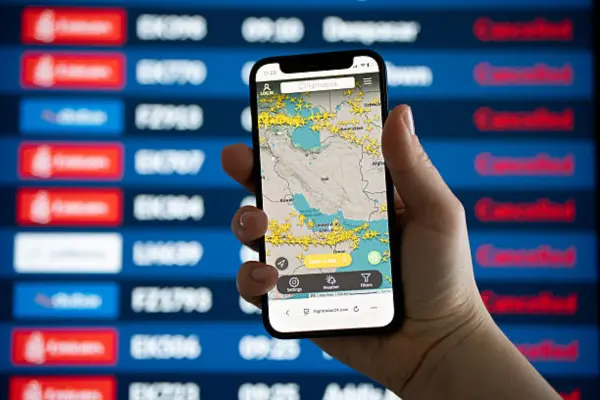
A flight tracker is not just for anxious travellers checking if their own plane is on time. There are several situations where having it open makes a real practical difference.
Before You Leave for the Airport
The most common use case: checking flight status before you set off from home. In 2025, the Bureau of Transportation Statistics logged over 1.1 million delayed flight departures in the United States alone. While that is US data, flight disruptions are a global reality, and any international route from Dhaka, whether to Dubai, Kuala Lumpur, or London, can experience delays due to weather, air traffic congestion, or late inbound aircraft.
Checking your flight status before you leave home takes ten seconds and could save you one to two hours of unnecessary waiting at the terminal.
When Collecting Someone from the Airport
This is arguably the most practical everyday use of a flight tracker for many people in Bangladesh. If you are heading to Hazrat Shahjalal International Airport to collect a family member, colleague, or client, tracking their inbound flight means you leave at the right time, not an hour early to sit in the arrivals hall.
Load the flight number, enable arrival alerts, and your phone will notify you when the aircraft lands. Combined with typical baggage reclaim and immigration times, you can time your arrival almost perfectly.
When You Have a Connecting Flight
A tight connection is stressful at the best of times. If your first leg is running late, a flight tracker lets you see exactly how much buffer you will have at the connecting airport. You can check whether your second flight has already departed, whether it too is delayed (which sometimes works in your favour), or whether you need to speak to cabin crew before landing to discuss rebooking options.
Our guide on how to make your international flight more comfortable also covers useful strategies for managing the stress of long-haul journeys, which pairs well with knowing your connection status in advance.
Keeping Track of a Family Member Travelling Alone
If a family member, particularly an elderly parent or a young adult, is travelling on a long-haul route without you, a flight tracker gives you real-time reassurance. You can see when they depart, follow the route progress, and know the exact moment they land.
If you are travelling with children and want to manage the logistics smoothly, our tips for travelling with kids has practical advice for keeping the whole family informed and comfortable throughout the journey.
When You Need to File a Delay Compensation Claim
Many travellers do not realise that flight trackers record historical flight data. If your flight was delayed or cancelled, that historical record provides documented proof of the disruption, which can be useful when submitting a compensation claim to the airline.
Note: Passenger rights and compensation entitlements differ depending on the airline, the departure country, and the applicable aviation authority. Always check the specific terms before filing a claim.
Frequently Asked Questions
How do I track a flight by flight number?
Open a flight tracking app or website such as Flightradar24, FlightAware, or Google Search. Enter the flight number in the search bar, for example BG001 or EK585, and select your flight from the results. You will see the live position, status, and estimated arrival time immediately. The whole process takes under a minute.
Are flight trackers accurate?
Yes, for the most part. Flight trackers use ADS-B technology, which transmits aircraft position every second, making estimated arrival times accurate to within a few minutes in most cases. However, last-minute gate changes and short ground delays can sometimes take a few minutes to update. Using a tracker alongside official airport screens gives you the most complete picture.
Is it free to use a flight tracker?
Yes. Flightradar24, FlightAware, Skyscanner, and Google Flights all offer free flight status tracking and live map access. Some apps like Flighty offer premium features such as AI delay predictions and additional notification options for a subscription fee, but free-tier access covers everything most travellers need.
Can I track a flight without the flight number?
Yes. Most trackers let you search by route, for example Dhaka to Dubai, which will show all flights currently operating on that path. You can also search by airline to see all flights from a specific carrier. However, searching by flight number is the fastest and most precise method when tracking a specific departure.
How early can I start tracking a flight?
Most flight trackers begin showing live status updates around two to four hours before scheduled departure, once an aircraft has been formally assigned to the route. Delay prediction apps like Flighty can surface early indicators of disruption up to six hours ahead, based on inbound aircraft data and air traffic control feeds.
You Are Now Ready to Track Any Flight in the World
Knowing how to use a flight tracker is one of those small travel skills that makes a surprisingly big difference. It takes the guesswork out of airport pickups, gives you an early warning on delays, keeps you connected to a loved one's journey, and helps you manage connecting flights without the usual anxiety.
The tools are free, they are easy to use, and they are available on any device. There is no reason not to make them a standard part of how you travel.
When you are ready to plan your next trip, browse our holiday packages for curated options on popular routes from Bangladesh. And for more practical guides like this one, head over to our travel tips section for everything you need to travel smarter.


